Overview
BigGo Finance is BigGo’s financial news platform. It brings together live news, earnings calls, podcast summaries and stock quotes, with a built-in AI assistant so readers can ask questions while they read. It was my last project at BigGo: I worked on planning and design from the early stages to launch, then handed it over to the team when I left.
This case covers the parts I owned while I was there. The live product may have changed since.
What I owned
- Home page: layout and priority of top stories, recommendations, earnings calls and podcasts
- Content interactions: like, save and share on every article, plus the “My saved” page
- Podcast page: the list of episode summaries and its filters
- Ask AI: an AI assistant available on every page, answering questions about the page you’re on
- Scheduled alerts: the AI compiles updates on a schedule and sends them to Telegram, LINE, Slack or Discord
- Usage billing and pricing page: what Free and Pro include, how usage is shown, and when to suggest upgrading
The problem
- Too much, too fast: news, earnings calls and podcasts update all day, and nobody has time to read it all.
- Reading isn’t understanding: one article can involve several companies and plenty of jargon.
- AI costs money: every answer has a cost, so the product needed plans people understand and are willing to pay for.
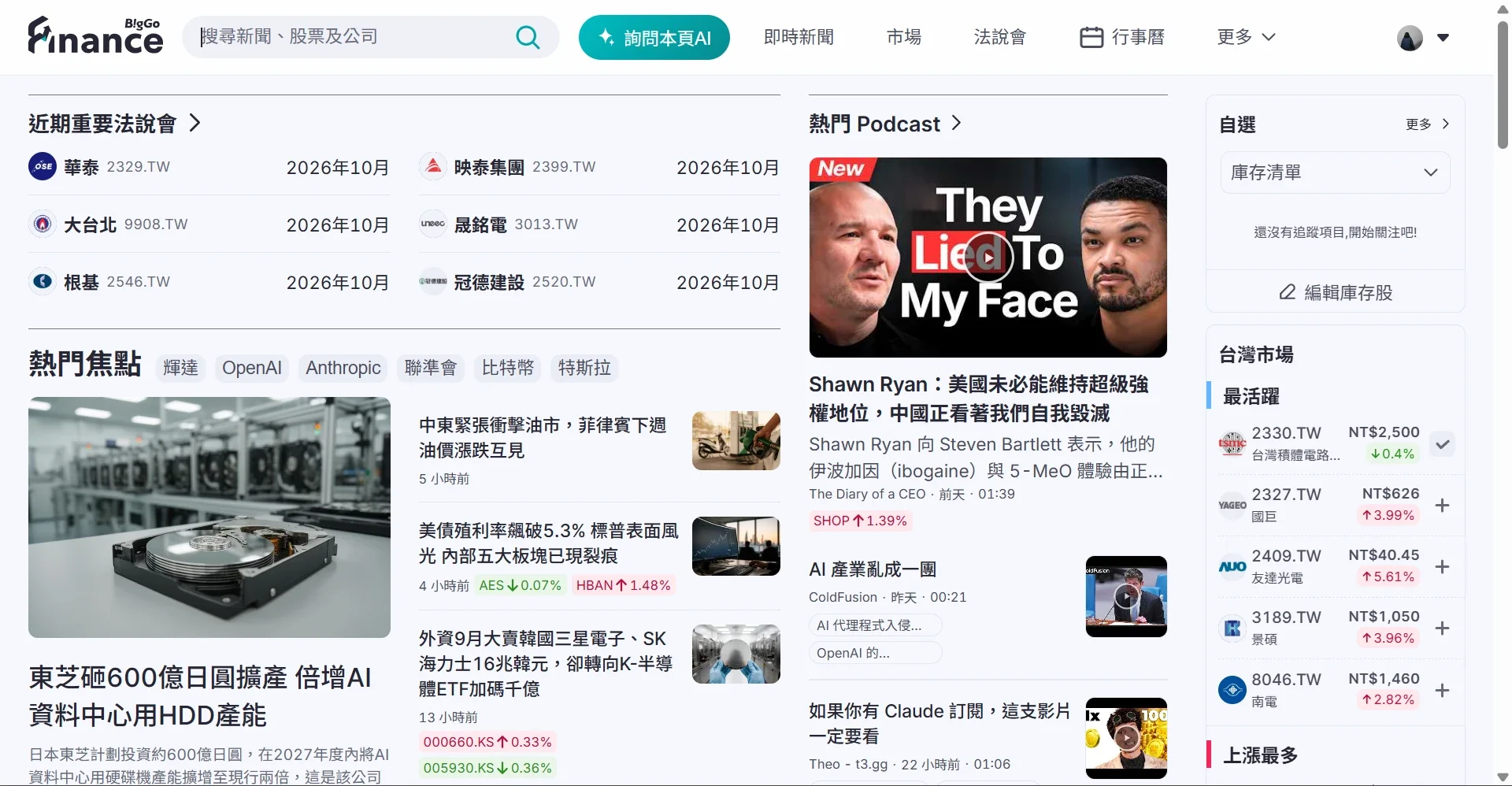
Home: what matters first, then what you care about
- Top stories get the most prominent spot, with trending topic tags like “Nvidia” or “the Fed” so you see what the market is talking about at a glance
- Upcoming earnings calls and trending podcasts follow, putting different formats on one page
- Recommended for me adapts to what you save and watch, so it gets more relevant the more you use it
Interactions: letting readers show what they like
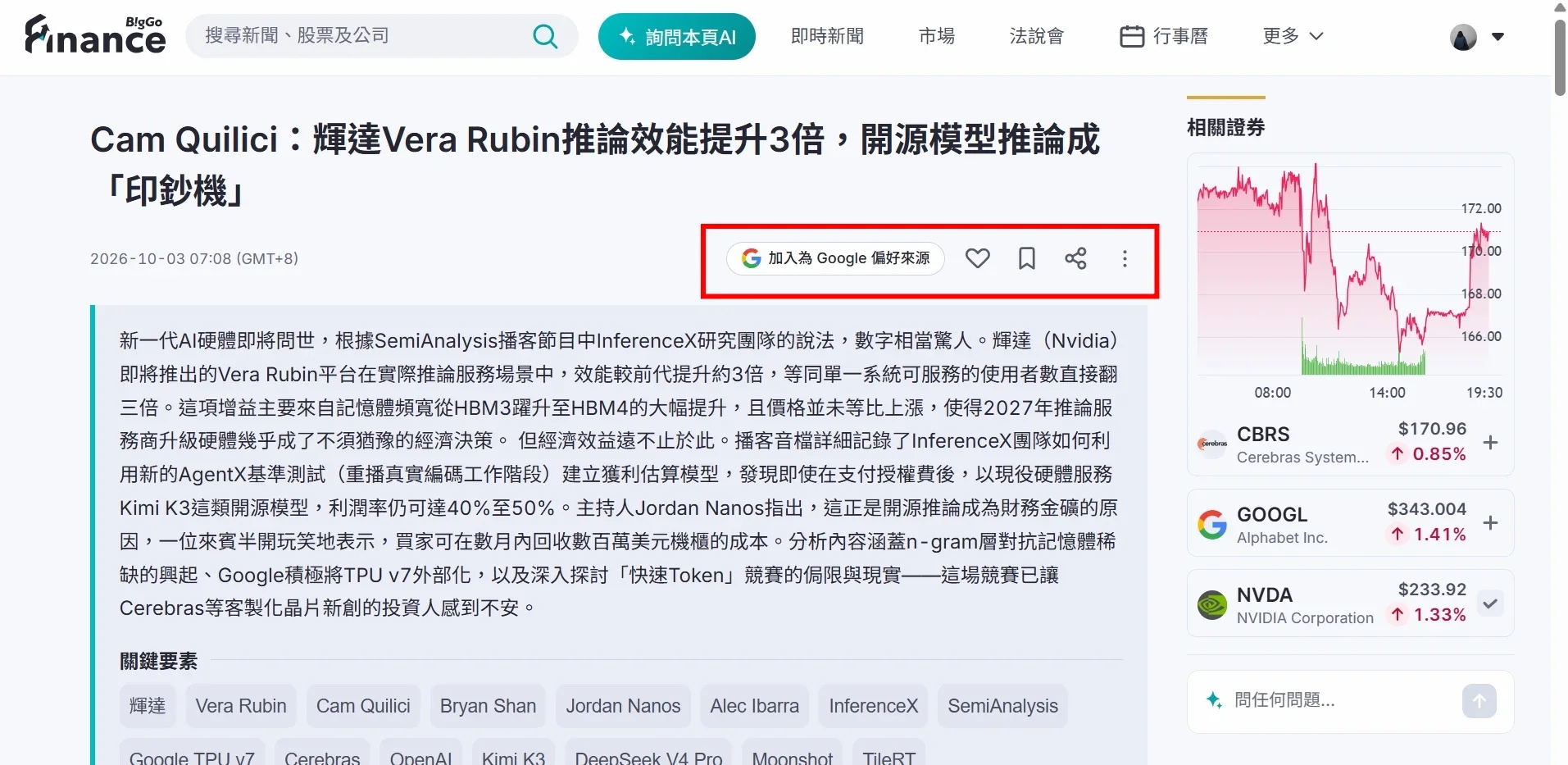
Every article can be liked, saved and shared, and saved items live together on the “My saved” page. Beyond convenience, these interactions feed recommendations: what you like and save shapes what the home page shows you next.
Podcasts: the key points without the full hour
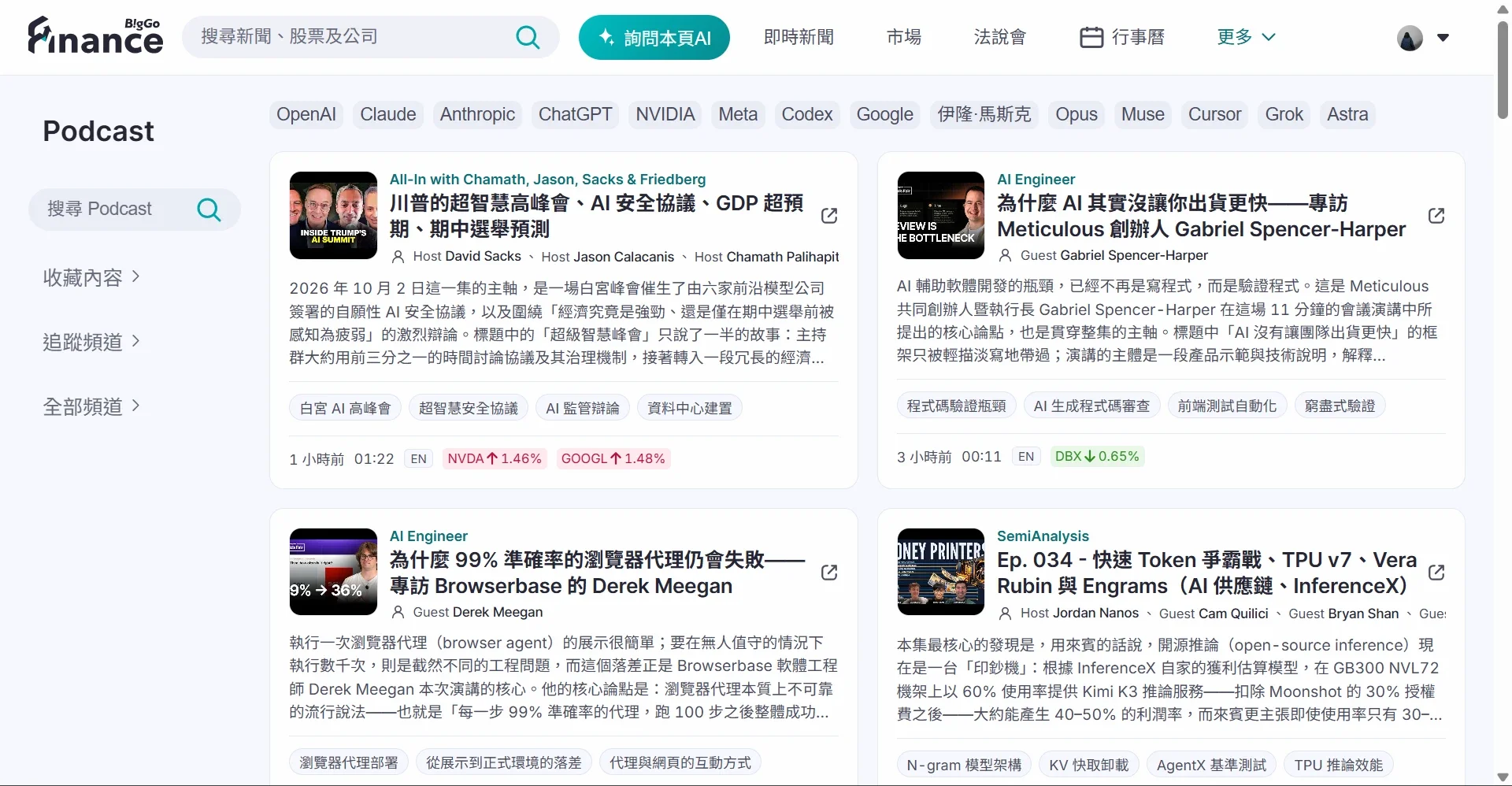
Finance podcasts often run over an hour. Each card shows an AI summary, keywords and related stocks, so you can decide whether the full episode is worth it, and filter by topic (OpenAI, NVIDIA…) or by show.
Ask AI: questions right where you are
- “Ask AI about this page” sits in the header on every page. The AI answers based on the page you’re on, with no copy-pasting
- Switch models (Flash / Pro), or upload an image or PDF
- A usage ring beside the input shows how much you have left, so you’re never cut off mid-question
- Scheduled alerts have the AI round up your stocks and news every day and send them to your messaging app
Pricing: making the difference clear
- One table compares Free and Pro: AI models, daily scheduled alerts, early access to earnings-call news, and ads
- The yearly plan is labelled “Save 20%” with the original price struck through
- Free still includes AI and messaging integrations, so people experience the value first and upgrade when they need more
Key decisions
1. AI follows the page, instead of living on a separate chat page
Questions usually come up while reading a specific article or stock. Making the AI a side panel available on every page, with the current content already loaded, means readers never leave what they’re reading or have to re-explain their question.
2. Usage where people can see it
The worst part of AI billing is being blocked without warning. Showing usage right next to the input sets expectations early, and upgrade prompts appear when they’re needed instead of on arrival.
3. A free plan that’s actually useful
Free keeps AI and scheduled alerts, limited by volume, model and advanced features. People build a habit first, and pay when it’s no longer enough.
What I learned
This was my first time planning how an AI product makes money end to end: where people meet the AI, how usage is shown, and how to split plans so upgrading feels worth it. I also learned that interactions in a content product are more than buttons: every like and save feeds back into recommendations, so the product gets to know its readers over time.